
A BIM Collaboration System Should Not Feel Like a File Drive
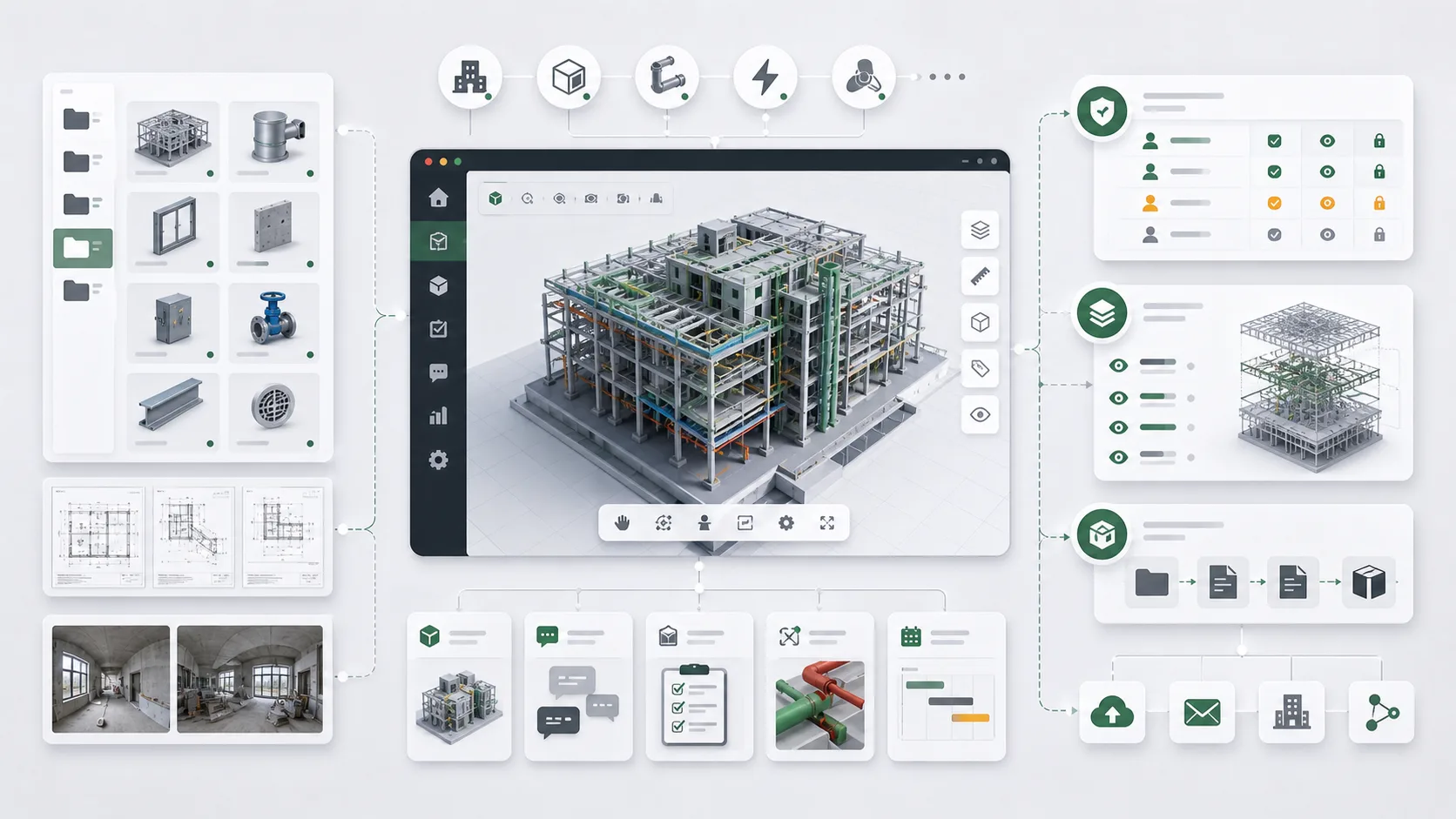
When I worked on a BIM resource collaboration platform, the first mistake I wanted to avoid was building a prettier file drive.
Upload, folder classification, preview, and download are all necessary. But if the system stops there, it cannot support real digital delivery. BIM project materials are not ordinary files. Behind them are models, renderings, panoramic photos, drawings, floors, disciplines, stages, departments, and delivery targets.
Files Are Only the Surface
The problem with a file-drive-style system is that it usually only cares where a file is stored. A real project cares what the file represents.
Which project does a model belong to? Which space does a rendering describe? Can a panorama connect to a location? Is this drawing the current version? What should be included in a delivery package? Which departments can see which resources? File names alone cannot answer these questions.
So I prefer to separate the business objects behind the files before rushing to build upload buttons. Only when the business objects are clear do files gain context.
Models and Drawings Need Different Management
BIM models, renderings, panoramas, and drawings can all be called resources, but they are used differently.
Models are core assets and need project and version awareness. Renderings are closer to presentation and reporting. Panoramas often connect to spatial locations. Drawings require discipline, version, and delivery status. If everything is managed by the same list, it is faster early on but harder later in filtering, permissions, and delivery.
In systems like this, I prefer to keep the differences between resource types while connecting them through a shared project structure.
Permission Is More Than Download Access
Permissions in BIM collaboration are more detailed than "can download or not".
Some people only need to view results. Some upload materials. Some review. Some belong only to a department or project stage. If permissions are too coarse, materials can leak. If they are too fragmented, the system becomes hard to use.
I consider permissions together with project structure. The relationship between departments, roles, projects, resource types, and delivery stages is more stable than assigning permissions to each file one by one.
Digital Delivery Should Become Reusable
Digital delivery is not simply packaging files and sending them out. It should leave behind a reusable delivery structure.
For the next similar project, the system can remember which material types are required, which files need review, which outputs are external, and which content is internal only. Over time, this helps the team form delivery habits instead of only storing files.
That is how I judge BIM collaboration systems. They should not only solve "where is the file"; they should solve how materials are organized, collaborated on, and delivered.
From File Storage to Business System
This kind of project made me realize that many file-management problems are actually business-structure problems.
If I only build a file drive, the system becomes a pile of directories and permissions. Only after the relationships between models, drawings, panoramas, renderings, project stages, and delivery targets are clarified can a BIM collaboration system move from storage to digital delivery.